Challenges of creating Odoo custom dashboards
Your dashboards in Odoo also play a major role in summarizing and centralizing critical information. They also transform raw data into actionable insights. As they visualize key performance indicators (KPIs), dashboards help businesses effectively manage all the data across the Odoo modules and make decisions faster.
As every business has its own set of objectives and requirements, custom dashboards become a necessity. These dashboards ensure that only the most relevant metrics and data points are displayed, aligning with a specific business need.
While Odoo offers the ability to create custom kinds of dashboards, the process also involves its own set of challenges. This blog intends to educate you on the challenges involved in creating Odoo custom dashboards and how it helps overcome all of these challenges.
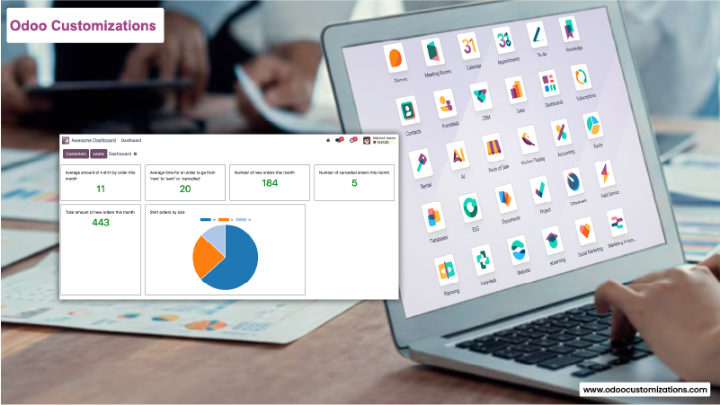
What is an Odoo custom dashboard?
Some of the benefits of custom dashboards in Odoo
Tailored insights—when visualizing only the information that also matters, aligning with the business, objective, and goals.
Improved productivity—when centralizing all critical information in a unified view, eliminating all the cluttered data
Enhanced decision-making—the decision-makers can easily access all the critical information in real time, empowering them to make all the actionable decisions.
Better data visualizations—the various kinds of visualization options and interactive elements make it possible to display data intuitively.
The custom dashboards in Odoo are designed for personalized dashboards that let you visualize and analyze all the data, which is very relevant to your business requirements. You can select and display specific data from Odoo modules and choose how to present it.
For example, when considering you are a sales manager using an odoo ERP and want to track specific sales metrics such as the total revenue, the number of all the new leads, the number of active kinds of customer, conversion retention, etc., in that case you also needs to be create an odoo dashboards which also helps you to even visualize and analyze all the necessary sales metrics efficiently.
Additionally, Odoo custom dashboards provide you with the flexibility to use various data visualization elements, including all the charts, graphs, and many more. They also support adding all the interactive elements, such as filtering and drill-down capabilities, allowing you to easily navigate all effortlessly.
Benefits of custom dashboards in odoo
Tailored insights—it is helping you to easily visualize all the required kinds of information, which also matters. When aligning with the businesses' objectives and goals.
improved productivity—When all critical metrics are in a unified view, eliminating cluttered data.
Enhanced decision-making—The decision makers can easily access critical information in real time, empowering them to make actionable kinds of decisions.
better data visualizations—Various visualization options and interactive elements make it possible to display data intuitively.
Top 7 challenges of creating custom dashboards in odoo
1. limited customizations
While Odoo offers the provision to customize default dashboards to some extent, the options are very limited. For advanced kinds of customizations, you also need to write custom codes, which is also time-consuming, requires technical expertise, and increases the cost of the project.
2. limited visualization options
Odoo offers basic visualization types, including all the graphs, charts, and many more. It doesn't support all the advanced visualization options, such as area charts, radial charts, etc. As a result, if your business requires sophisticated data representations, this also gives you limitations that can hinder your ability to present your data effectively.
3. lack of real-time data updates
One of the major challenges with the default Odoo dashboards is that they have basic filtering capabilities. They are limited to drilling down into specific data points or even analyzing all the granular details. For instance, imagine that your sales manager wants to track the total revenue based on the region, products, and time period. Default Odoo dashboards may not allow you to even explore data in depth with the advanced kind of filters.
4. limited filtering and drill-down of all the capabilities
The default Odoo dashboards have basic filtering capabilities. They are limited to drilling down into specific data points or even analyzing all the granular details. If you are a sales manager and want to track the total revenues based on all kinds of regions, products, and even their time periods. The default Odoo dashboards may not even allow you to explore the data in depth with all kinds of advanced filters.
5. limited exporting options
The businesses leverage insights displayed by Odoo dashboards for various purposes and might need them in multiple formats, such as PDFs and different kinds of files. Exporting all the data in the proper desired formats requires all the custom development, which in turn increases the project cost and timelines.
6. basic layout
The layout of the Odoo dashboards is very simple and basic. They are very limited in supporting the requirements of highly responsive designs. With the limited customization options, you may also not get enough flexibility to even create all the dashboards that also suit your specific business needs.
7. dependency on development expertise
Odoo dashboard customizations involve direct code modifications requiring all the technical expertise. If you don't have an in-house Odoo expert, you also need to hire one, which will again lead to high costs. You also need to rely on developers for every small change in the dashboards, which reduces all kinds of flexibility.
How do O2B technologies overcome the above different challenges?
The dashboards are the most important part of the Odoo dashboard tools. It helps to address all the above kinds of challenges of creating custom dashboards in Odoo. Let's explore how it helps your business:
1. advanced visualization options
O2B technologies also support 17 impressive dashboard item types for quick and easy interpretations of your business data. The dashboard items also range from the basic to advanced, which also includes the doughnut charts, map views, and many more. e
2. real-time stream of dashboards
Now, you don't have to worry about the outdated or even inaccurate data while making the decisions. Our Odoo app also lets you create dashboards, which also display up-to-date information with real-time data streamlining capabilities.